Central Processing Unit Types
Choosing the right tool for the job
1 Purpose
This document provides a foundational overview of Central Processing Units (CPUs). You will learn to identify different processor types, understand their underlying architectures, and recognize the key features that make them suitable for specific tasks, from everyday computing to specialized enterprise and AI workloads.
2 What You’ll Learn
By the end of this reading, you will be able to:
- Differentiate between major CPU categories, including desktop, mobile, server, and embedded processors.
- Compare the offerings of key CPU manufacturers like Intel, AMD, and Apple.
- Explain the fundamental differences between x86 (CISC) and ARM (RISC) architectures.
- Identify critical CPU features for business and enterprise use, such as virtualization support and ECC memory.
- Recognize the use cases for specialized and emerging CPU technologies like SoCs and analog processors.
This reading maps to the following program and course learning outcomes:
- Program Learning Outcomes (PLOs):
- 3. Apply terminology and numeric or system concepts: You will learn essential CPU terminology, including CISC, RISC, SoC, ECC, and virtualization extensions.
- 6. Maintain environment: Understanding CPU types and features is a core competency for planning, building, and troubleshooting computer systems.
- Course Learning Outcomes (CLOs):
- 1. Identify hardware and basic network components: This document is focused on identifying and understanding the most critical hardware component, the CPU.
- 4. Configure hardware and basic network components: Choosing the correct CPU is a primary step in system configuration for a specific use case.
This exercise will help you develop the following skills and knowledge, which align with the O*NET SOC Code 15-1232.00 for Computer User Support Specialists.
| Learning Objective | O*NET KSAs | Technologies Used |
|---|---|---|
| Identify CPU categories and select the appropriate type for a given use case. | Knowledge: Computers & Electronics, Customer Service Skills: Critical Thinking Abilities: Information Ordering |
PC & Server Hardware |
| Compare and contrast x86 (CISC) and ARM (RISC) architectures. | Knowledge: Computers & Electronics Skills: Reading Comprehension Abilities: Written Comprehension |
N/A |
| Explain the importance of CPU features like virtualization and ECC memory for business. | Knowledge: Computers & Electronics Skills: Troubleshooting, Critical Thinking Abilities: Problem Sensitivity |
Virtualization Software, Server Hardware |
3 Introduction to CPU Types
Processors are central to computing performance and system capabilities. This article explores processor types, manufacturers, use cases, performance, cost, RAM compatibility, virtualization support, and the underlying architectures that make each type unique. If you are new to computer hardware, understanding these differences will help you make informed decisions when building, upgrading, or troubleshooting systems.
4 Processor Categories
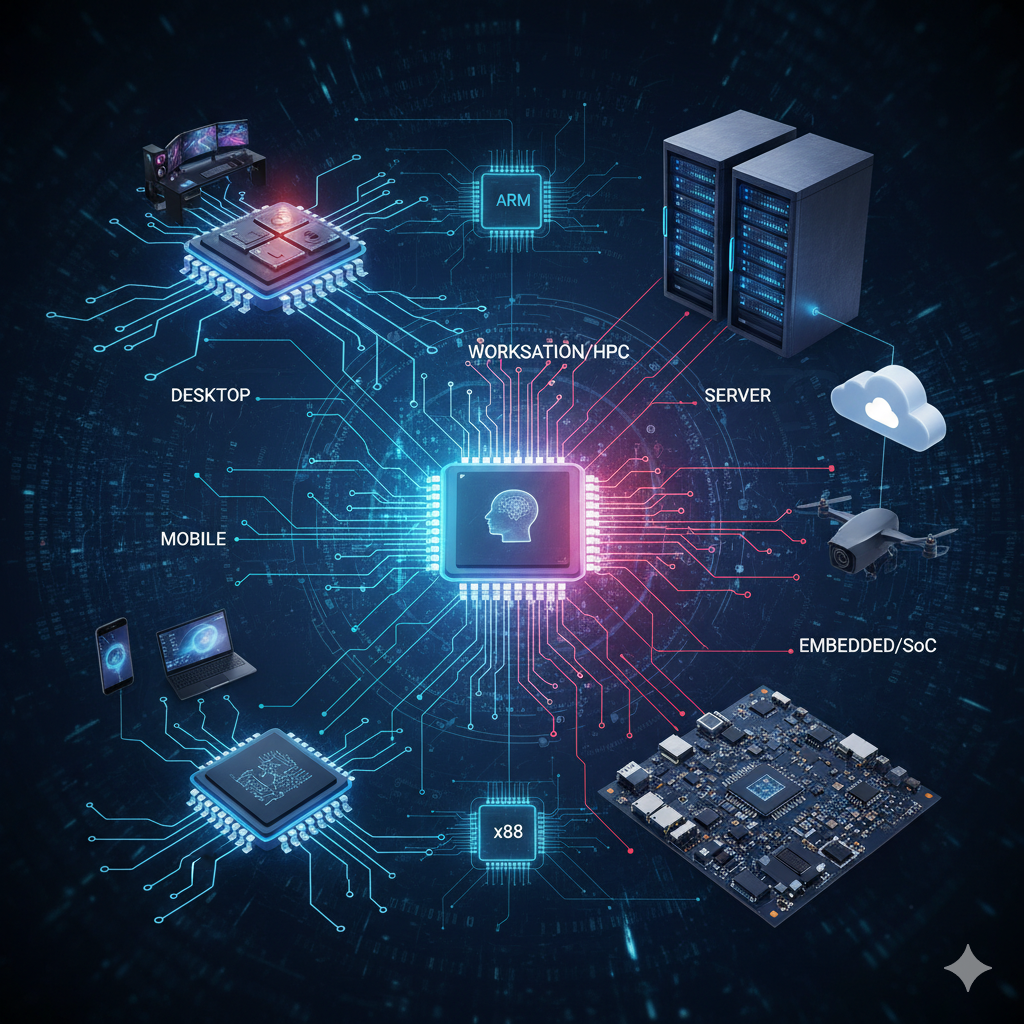
Modern CPUs are designed for specific environments and workloads. Here are the main categories:
4.1 Desktop Processors
Desktop CPUs are the most common type found in personal computers. They are designed for a balance of performance, flexibility, and cost.
- Intel Core (i3, i5, i7, i9): These processors are widely used in desktops and offer a range of performance levels, from basic office tasks to high-end gaming and content creation. They often include integrated graphics and support for a wide variety of motherboards.
- AMD Ryzen (3, 5, 7, 9): AMD’s Ryzen series competes directly with Intel’s Core lineup, often providing more cores and threads for the price. Ryzen CPUs are popular for gaming, multitasking, and productivity.
- Use Cases: Gaming, productivity, home computing, light content creation.
Key Features:
- Multiple cores and threads for multitasking
- Support for discrete (add-on) graphics cards
- Moderate power consumption and heat output
- Upgradeable in most desktop systems
Author: TechAltar | View Channel
AMD fell behind Intel in the CPU race, but then, starting in 2012 when Lisa Su came to the company, they slowly built themselves back to a strong position. Now, having switched from GlobalFoundries to TSMC and moved from Bulldozer to Zen, they are doing great.
4.2 Mobile Processors
Mobile CPUs are engineered for laptops, tablets, and smartphones, where power efficiency and heat management are critical.
- Intel Core U/H-series: U-series chips are ultra-low power, found in thin laptops; H-series are higher performance for gaming and workstation laptops.
- AMD Ryzen Mobile: Known for strong integrated graphics and good battery life.
- Apple M-series (M1, M2, M3): Apple’s ARM-based SoCs (System on a Chip) combine CPU, GPU, and memory controller for high efficiency and performance.
- ARM-based chips (Qualcomm, Broadcom): Used in most smartphones and tablets, these chips are highly efficient and often include cellular modems and other features.
- Use Cases: Laptops, tablets, smartphones, embedded systems.
Key Features:
- Low power consumption for longer battery life
- Integrated graphics and connectivity
- Smaller physical size
- Often soldered directly to the motherboard (not upgradeable)
4.3 Server Processors
Server CPUs are built for reliability, scalability, and handling many tasks at once. They are used in data centers, web servers, and enterprise environments.
- Intel Xeon: Supports ECC (Error-Correcting Code) memory, multi-processor configurations, and advanced virtualization.
- AMD EPYC: Known for high core counts, large cache sizes, and excellent performance in multi-threaded workloads.
- Use Cases: Data centers, cloud computing, virtualization, enterprise servers.
Key Features:
- Support for large amounts of RAM (including ECC)
- High core and thread counts
- Designed for 24/7 operation and reliability
- Advanced features for virtualization and security
4.4 Embedded and SoC Processors
System-on-Chip (SoC) processors combine CPU, GPU, memory controller, and other components into a single chip. They are used in devices where space and power are limited.
- Broadcom (Raspberry Pi): Powers single-board computers, IoT devices, and networking equipment.
- Apple M-series: Used in Macs and iPads, integrating CPU, GPU, and more for efficiency.
- Qualcomm Snapdragon, MediaTek: Common in smartphones and tablets.
- Use Cases: IoT, networking, mobile devices, single-board computers, smart appliances.
Key Features:
- Extremely low power consumption
- Small size and low heat output
- Integrated features (graphics, connectivity, etc.)
- Not upgradeable or replaceable
4.5 Workstation and High-Performance CPUs
These CPUs are designed for professionals who need maximum performance for demanding applications.
- AMD Threadripper: Offers very high core and thread counts, quad-channel memory, and massive cache.
- Intel Xeon W: Workstation-class CPUs with ECC memory support and advanced instruction sets.
- Use Cases: 3D rendering, scientific computing, video editing, engineering simulations.
Key Features:
- High core and thread counts
- Support for large amounts of RAM
- Advanced features for reliability and performance
- Higher power consumption and heat output
5 Understanding CPU Architectures
A CPU’s architecture determines how it processes instructions and interacts with software and hardware. The two most common architectures are x86/x86_64 and ARM.
5.1 x86 and x86_64 (CISC)
- x86: Originally developed by Intel, x86 is a family of instruction set architectures (ISAs) used in most desktop and laptop CPUs. It is a CISC (Complex Instruction Set Computing) architecture, meaning it has a large set of instructions, some of which can perform complex tasks in a single operation.
- x86_64 (also called x64 or AMD64): This is the 64-bit extension of x86, allowing CPUs to use more memory and process larger data types. Most modern PCs use x86_64 processors.
- Strengths: Broad software compatibility, high performance for complex tasks.
- Weaknesses: Higher power consumption, more heat, and more complex hardware design.
5.2 ARM (RISC)
- What is ARM? ARM stands for Advanced RISC Machines (originally Acorn RISC Machine). ARM processors use a RISC (Reduced Instruction Set Computing) architecture, which means they use a smaller set of simpler instructions.
- Where are ARM CPUs used? ARM processors dominate the mobile and embedded market due to their efficiency. They are found in nearly all smartphones, tablets, and many IoT devices. Apple’s M-series chips are also ARM-based.
- Strengths: Lower power consumption, less heat, simpler and smaller chip designs, ideal for battery-powered devices.
- Weaknesses: Historically, lower peak performance for complex tasks compared to x86, but this gap is closing with modern ARM designs.
Why Choose RISC (ARM) Over CISC (x86)?
- Lower Power Consumption: RISC processors like ARM use less power, making them ideal for mobile and embedded devices.
- Lower Heat Output: Less power means less heat, so devices can be thinner and quieter.
- Tradeoff: RISC CPUs may require more instructions to perform complex tasks, but their simplicity allows for higher efficiency and easier scaling to many cores. For most everyday tasks, ARM CPUs are now as fast or faster than x86 chips, especially in mobile and low-power environments.
6 Manufacturer Comparison
| Manufacturer | Architecture | ISA | Strengths | Weaknesses |
|---|---|---|---|---|
| Intel | x86-64 | CISC | High clock speeds, compatibility | Higher cost, power use |
| AMD | x86-64 | CISC | Multi-core value, performance | Software optimization lag |
| Apple | ARM64 | RISC | Efficiency, integration | Limited upgradeability |
| ARM (Generic) | ARMv8/9 | RISC | Low power, scalable | Lower raw performance |
| Broadcom | ARMv8 | RISC | Embedded/networking, efficiency | Not for desktops/servers |
| Qualcomm | ARMv8/9 | RISC | Mobile performance, connectivity | Not for desktops/servers |
6.1 Qualcomm and the Snapdragon Series
Qualcomm is a leading manufacturer of ARM-based processors, best known for its Snapdragon series. Snapdragon chips are widely used in smartphones, tablets, and other mobile devices. These processors are designed for high performance and energy efficiency, integrating CPU, GPU, AI engines, and cellular modems on a single chip.
Key Features of Snapdragon Chips: - Excellent balance of performance and battery life for mobile devices - Integrated 4G/5G modems for fast wireless connectivity - Advanced graphics and AI processing capabilities - Used by many major smartphone manufacturers (Samsung, OnePlus, Google, etc.)
Snapdragon processors are a major reason why modern smartphones can handle demanding apps, games, and multitasking while maintaining long battery life.
7 RAM Compatibility
- DDR4 vs DDR5: Newer CPUs support DDR5, which offers higher bandwidth and lower power consumption than DDR4.
- ECC Memory: Error-Correcting Code memory is supported by server and workstation CPUs for improved reliability.
- Unified Memory: Apple’s M-series uses a unified memory architecture, where CPU and GPU share the same memory pool for efficiency.
8 Virtualization Support
Virtualization allows one physical CPU to run multiple operating systems or virtual machines (VMs) at once. This is important for servers, development, and testing.
- Hardware Virtualization Extensions: Intel VT-x and AMD-V enable efficient virtualization.
- IOMMU Support: Intel VT-d and AMD-Vi allow direct device access for VMs.
- Core and Thread Count: More cores and threads mean more VMs can run simultaneously.
- Memory Bandwidth: High bandwidth is crucial for running many VMs.
8.1 Best CPUs for Virtualization
- AMD EPYC: High core density, large memory support, excellent for data centers.
- Intel Xeon: Reliable, widely supported, strong virtualization features.
- Threadripper Pro: High performance for workstation virtualization.
9 Cost Considerations
- Desktop CPUs: $100–$600, depending on performance and features.
- Mobile CPUs: Usually integrated into devices; cost is part of the device price.
- Server CPUs: $500–$5000+ for high-end models.
- Workstation CPUs: $800–$4000, depending on core count and features.
- SoCs: $5–$100 for embedded and IoT applications.
10 Analog CPUs and Emerging Technologies
While most CPUs today are digital—processing information using binary (0s and 1s)—there is growing interest in analog computing for specialized applications. Analog CPUs, such as those developed by Mythic, process information using continuous electrical signals rather than discrete digital steps.
10.1 What Are Analog CPUs?
Analog CPUs use electrical voltages to represent and manipulate data, allowing them to perform certain types of calculations much more efficiently than digital processors. Instead of switching transistors on and off to represent bits, analog processors use the physical properties of circuits to perform operations like addition and multiplication in parallel and at very high speeds.
10.2 Mythic Analog Processors
Mythic is a company pioneering analog matrix processors, which are designed primarily for artificial intelligence (AI) and machine learning workloads. Their chips use arrays of analog memory cells to perform computations directly where data is stored, dramatically reducing the need to move data back and forth between memory and processing units.
Key Benefits: - Energy Efficiency: Analog computation can be much more power-efficient than digital, especially for AI inference tasks. - Speed: Analog processors can perform many operations in parallel, making them well-suited for neural network computations. - Compactness: Integrating memory and processing in the same location reduces chip size and complexity.
Tradeoffs: - Precision: Analog processors may have lower precision than digital CPUs, which can be a limitation for some applications. - Specialization: These chips are typically designed for specific tasks (like AI inference) rather than general-purpose computing.
10.3 Applications
Analog CPUs are not intended to replace traditional digital CPUs in general computing. Instead, they are used to accelerate specific workloads such as:
- Real-time image and video processing
- Edge AI devices (e.g., smart cameras, IoT sensors)
- Low-power embedded AI systems
As the demand for efficient AI processing grows, analog computing technologies like those from Mythic may become more common in specialized hardware.
11 Reflect and Review
Now that you have reviewed this document, take a moment to reflect on your learning. In your Microsoft Teams Student Notebook, create a new page for this topic and write down the following:
- 3 things you learned about the different types of CPUs.
- 2 key differences between the x86 and ARM architectures.
- 1 question you still have about choosing a processor for a specific task.
This reflection is for your instructor to review and helps solidify your understanding of the concepts.
Test your understanding with the following questions. These questions provide retrieval practice and reinforce key concepts covered in this reading. In your Microsoft Teams Student Notebook, answer the following:
- You are building a high-end gaming PC. Would you more likely choose an Intel Core i9 or an Intel Xeon processor? Why?
- What is the primary advantage of an ARM-based processor (like the Apple M-series) for a thin and light laptop?
- A small business needs a reliable server to run a database and host several virtual machines. What two CPU features mentioned in the text would be most important for this use case?
- What does “SoC” stand for, and in what type of device would you typically find one?
- Briefly explain the fundamental difference between a CISC architecture and a RISC architecture.