Apache Maven
Java Project Management and Build Automation
1 What is Maven?
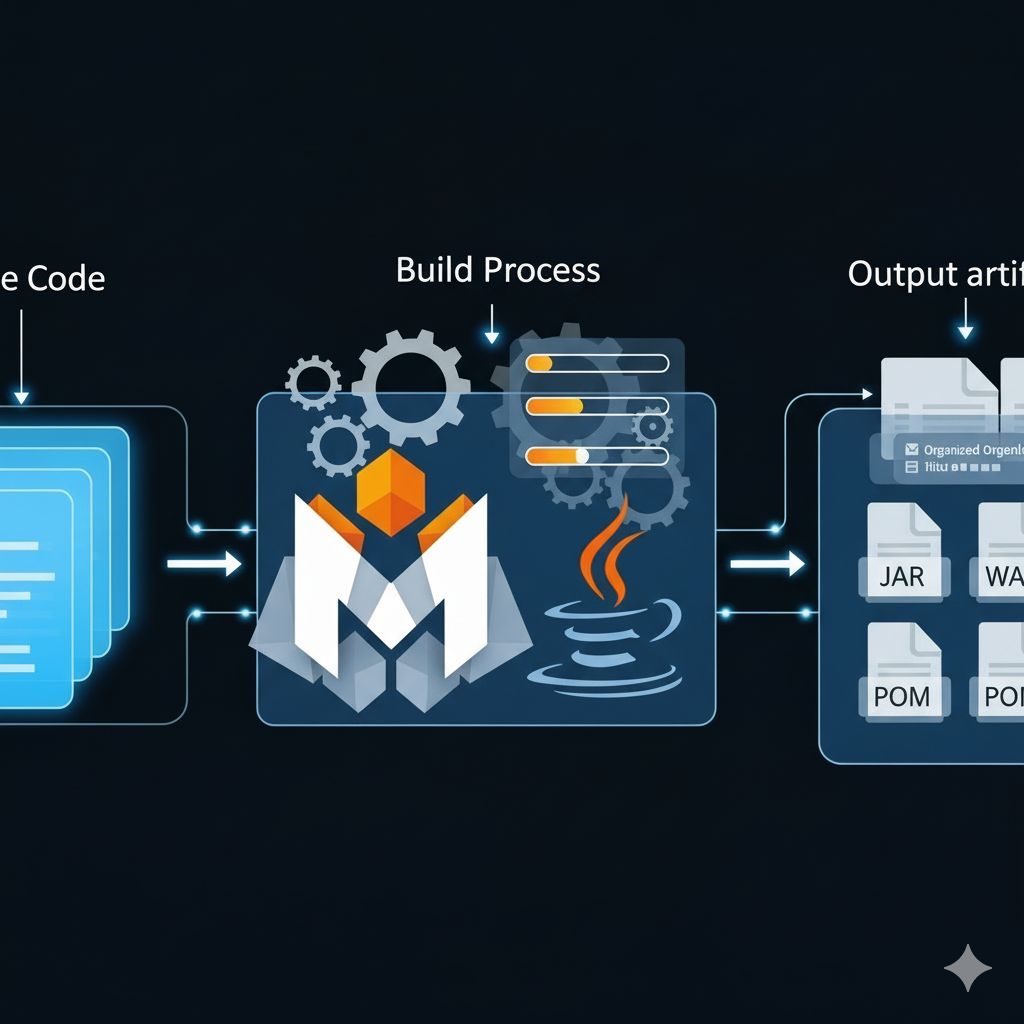
Apache Maven is a build automation and project management tool used primarily for Java projects. It simplifies the process of:
- Compiling code
- Managing dependencies
- Running tests
- Packaging applications (e.g., JAR or WAR files)
- Deploying artifacts
Maven uses a Project Object Model (POM) file (pom.xml) to define project structure, dependencies, plugins, and goals.
2 Why Use Maven?
Maven helps developers:
- Avoid manual dependency management
- Standardize project structure
- Automate repetitive tasks
- Share consistent builds across teams
It’s especially useful in large projects or when working with frameworks like Spring, Hibernate, or Jakarta EE.
3 Installing Maven
sudo apt update
sudo apt install maven
mvn -version
3.0.1 Linux (RedHat-based)
sudo dnf install maven
mvn -version
Install using Scoop.
scoop install maven
mvn -version
Install using Homebrew.
brew install maven
mvn -version
4 Creating a Maven Project
Use Maven’s archetype system to generate a basic Java project.
mvn archetype:generate -DgroupId=com.example -DartifactId=my-app -DarchetypeArtifactId=maven-archetype-quickstart -DinteractiveMode=falseThis creates a project with the following structure:
my-app/
├── pom.xml
└── src/
    ├── main/java/com/example/App.java
    └── test/java/com/example/AppTest.java
5 Understanding pom.xml
The pom.xml file defines your project’s metadata and configuration. Example:
<project xmlns="http://maven.apache.org/POM/4.0.0">
  <modelVersion>4.0.0</modelVersion>

  <groupId>com.example</groupId>
  <artifactId>my-app</artifactId>
  <version>1.0-SNAPSHOT</version>

  <dependencies>
    <dependency>
      <groupId>junit</groupId>
      <artifactId>junit</artifactId>
      <version>4.13.2</version>
      <scope>test</scope>
    </dependency>
  </dependencies>
</project>
6 Common Maven Commands
| Task | Command |
|---|---|
| Compile source code | mvn compile |
| Run tests | mvn test |
| Package JAR/WAR | mvn package |
| Clean build artifacts | mvn clean |
| Install to local repo | mvn install |
7 Adding Dependencies
Maven downloads dependencies from the Maven Central Repository. To add a library, include it in the <dependencies> section of pom.xml.
Example: Adding Gson
<dependency>
  <groupId>com.google.code.gson</groupId>
  <artifactId>gson</artifactId>
  <version>2.10.1</version>
</dependency>
8 Student Exercise: Maven with VS Code and Git
8.1 Objective
Create a simple Maven project, manage it with Git, and edit it using Visual Studio Code.
8.2 Steps
Install Maven (see instructions above).
Create a Maven project:
mvn archetype:generate -DgroupId=com.student -DartifactId=student-app -DarchetypeArtifactId=maven-archetype-quickstart -DinteractiveMode=falseInitialize Git:
cd student-app
git init
git add .
git commit -m "Initial Maven project"
Open in VS Code:
code .Edit
App.javainsrc/main/java/com/student/App.javato print your name.Build and run:
mvn compile
mvn exec:java -Dexec.mainClass="com.student.App"
Commit changes:
git add .
git commit -m "Updated App.java to print name"
8.3 Deliverables
- A Git repository with your Maven project.
- A working Java program that prints your name.
9 VS Code Workspace Configuration
Create a file named student-app.code-workspace. Update the paths to Java to match your environment.
{
  "folders": [
    {
      "path": "."
    }
  ],
  "settings": {
    "java.home": "/path/to/java",
    "maven.executable.path": "/path/to/mvn",
    "files.exclude": {
      "**/target": true
    },
    "editor.formatOnSave": true
  }
}
10 VS Code Settings (Optional)
Create .vscode/settings.json and update the path and name to the Java JDK version you are using.
{
  "java.configuration.runtimes": [
    {
      "name": "OpenJDK21",
      "path": "/usr/lib/jvm/java-21-openjdk",
      "default": true
    }
  ],
  "maven.terminal.useJavaHome": true,
  "editor.tabSize": 2,
  "editor.detectIndentation": false
}
11 Summary
- Maven simplifies Java project setup, builds, and dependency management.
- It uses a declarative
pom.xmlfile to define project configuration. - Maven integrates well with IDEs like VS Code and IntelliJ IDEA.
- It’s a foundational tool for modern Java development.